Company setup,
step by step.
From first login to employees signing in – with real screenshots from Novature HRMS.
Set up your company in one sitting.
Register your company
Contact Novature to register your company. You receive a Company Admin login and a 1-month (30-day) free trial starts. Sign in at the web app – a computer is easiest for setup.
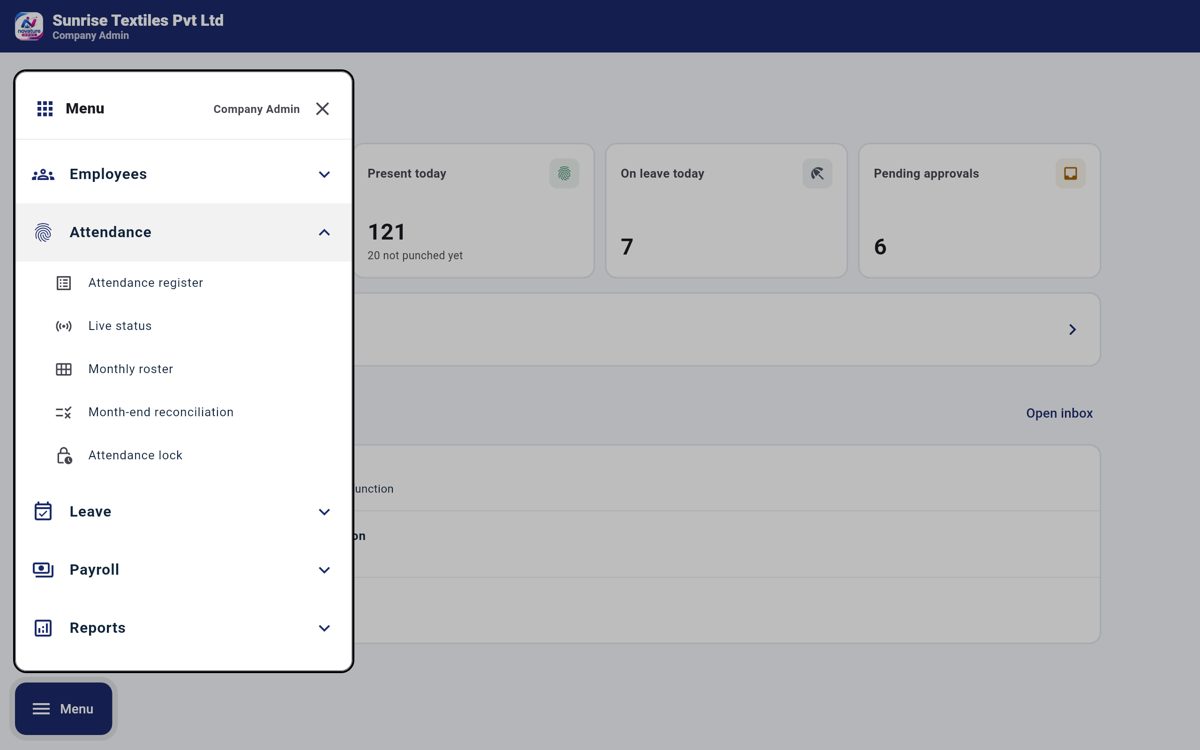
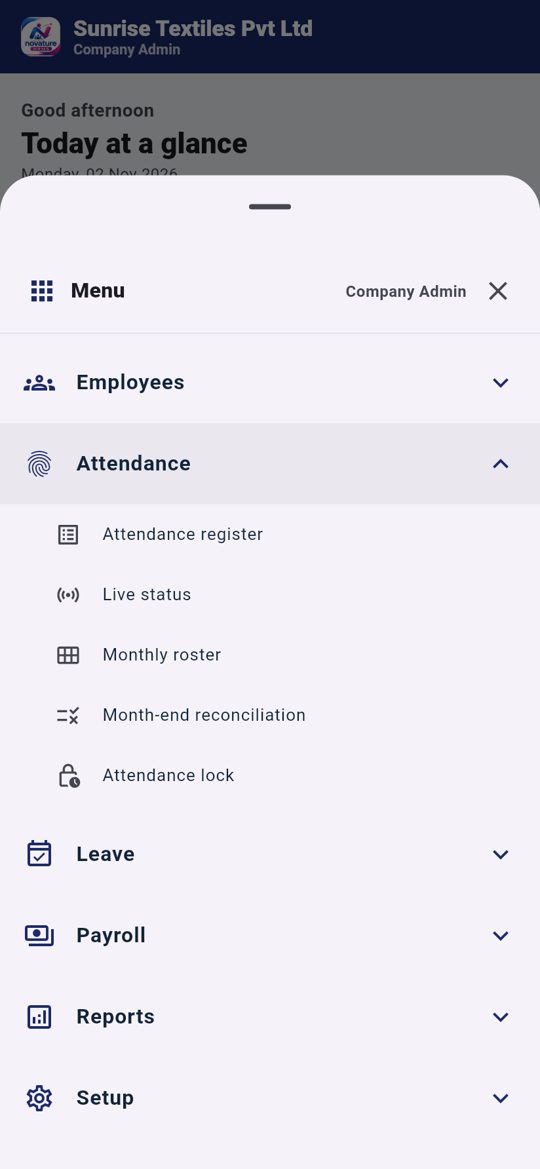
Open the Menu
Everything is in the Menu button at the bottom-left corner. Sections are grouped: People, Attendance, Leave, Payroll, Reports and Settings.
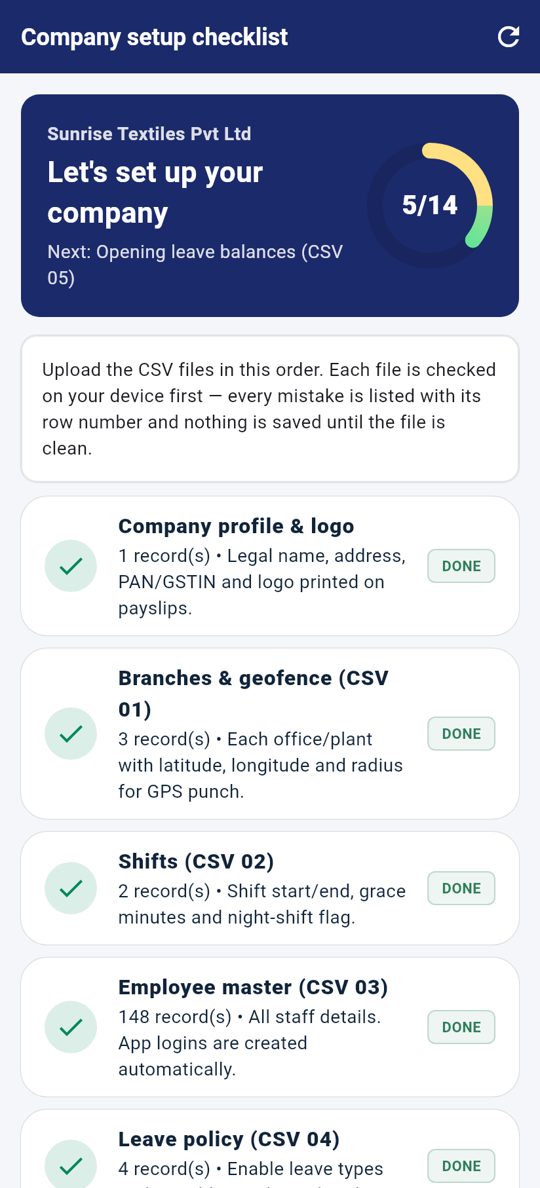
Follow the setup checklist
The Setup checklist walks you through company details and logo, departments and designations, shifts, holidays, leave policy, payroll settings and work locations (QR gate / GPS geofence).
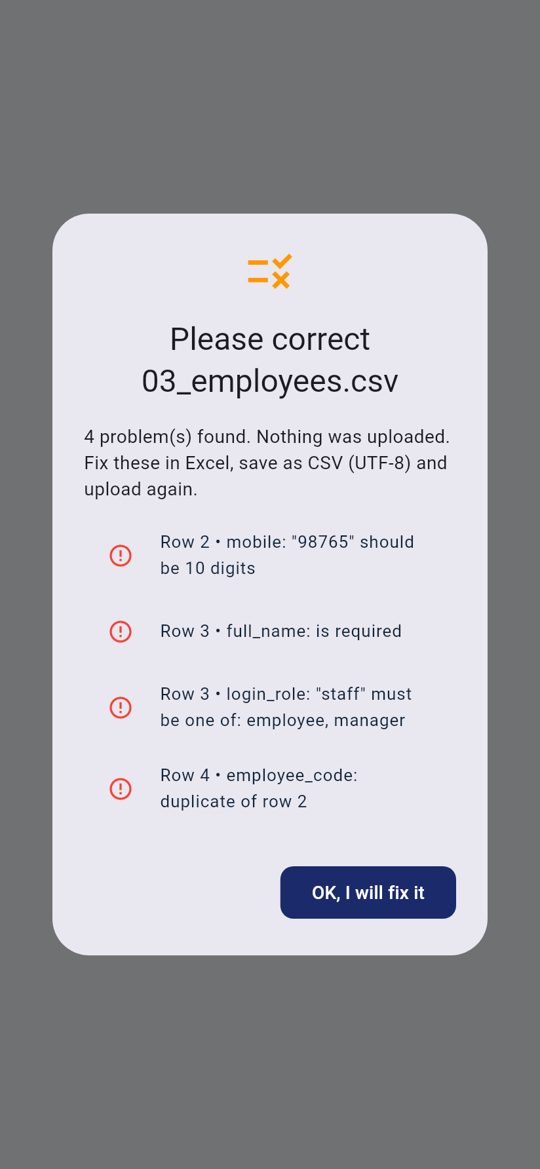
Upload employees with CSV check
Download the CSV template, fill in your employees and upload it. The CSV check lists any missing or wrong values row by row before anything is saved, so you fix errors first.
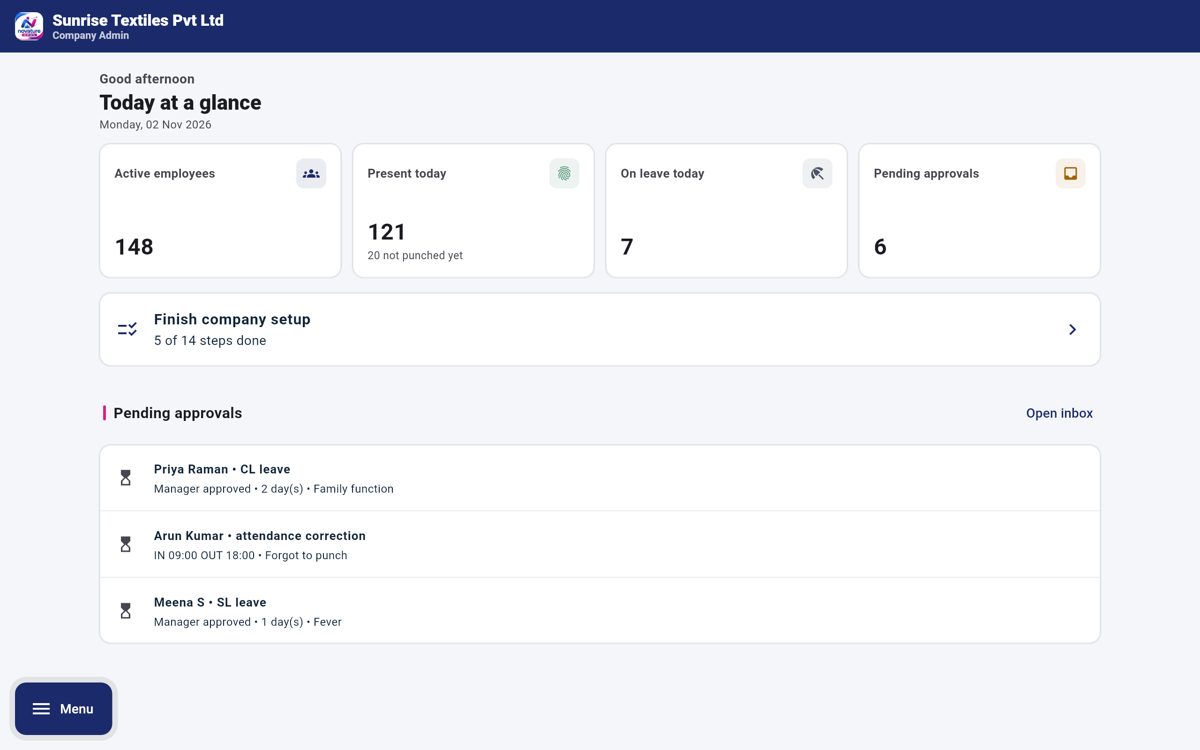
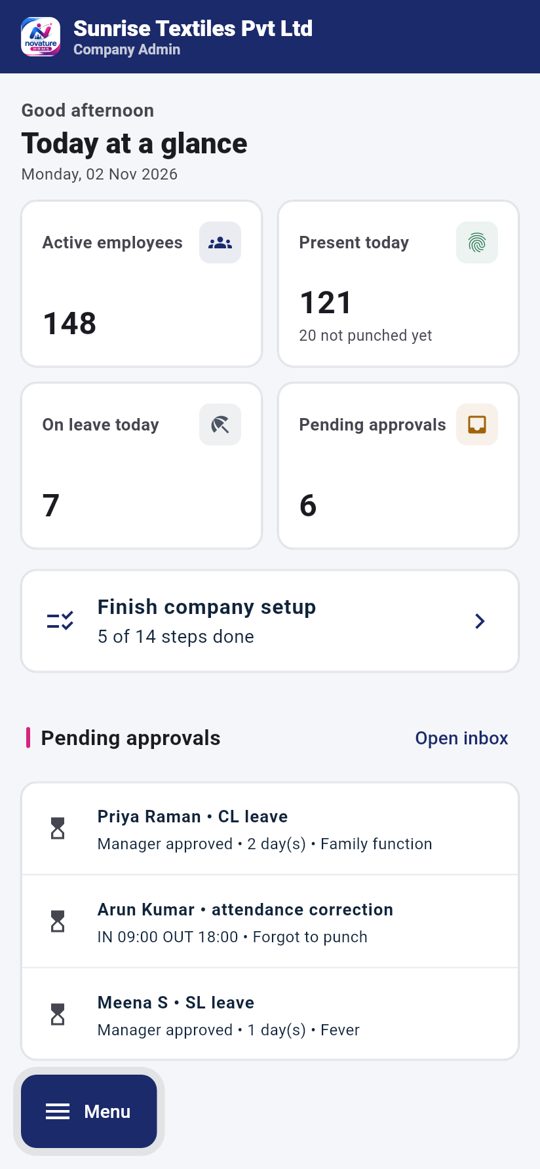
Review the dashboard
Once employees are loaded, the dashboard shows headcount, attendance today and pending items.
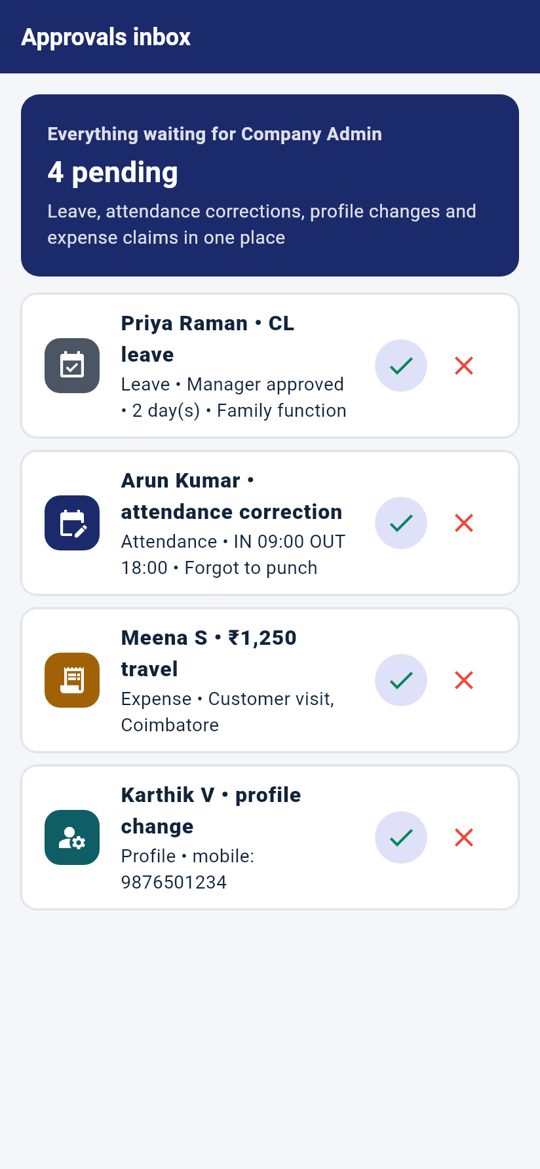
Approvals and reports
Managers approve leave and requests; HR sees all approvals and runs attendance, leave and payroll reports.
Invite employees
Share the download page with employees. They install the Android app or use the web app and sign in with the login you created.
Subscription
After the 1-month free trial (from the 2nd month): ₹10 per active employee per month (plus applicable taxes). Subscriptions are handled on novature.in only.